
If the adapter is not perfectly fit on your camera body or your digital back, please follow the processes below.
Mounting Adapter and Sensor (Adjusting the Support Hooks at the bottom)
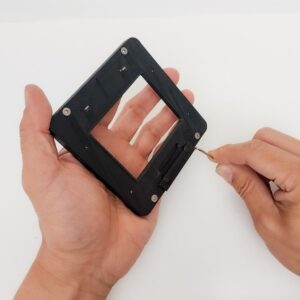
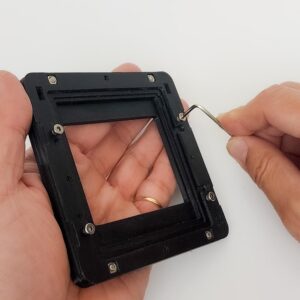
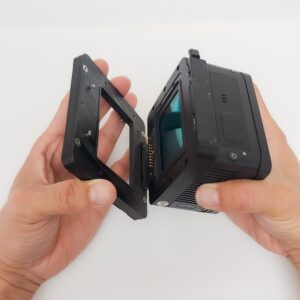 If the Support Hooks (2 screws) at the bottom are too loose and the bottom of the digital back wobbles, or the space under the Support Hooks is too tight for the clasp of the digital back to fit underneath, adjust the height of the bottom Support Hooks by turning them slightly using a 2mm Hex Key. Turn the screws 45 degrees at a time and check the fit of the mount.
 Mounting Adapter and Camera Body (Adjusting the Body Mount Pins)
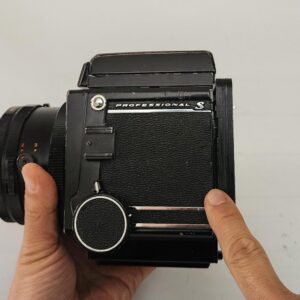
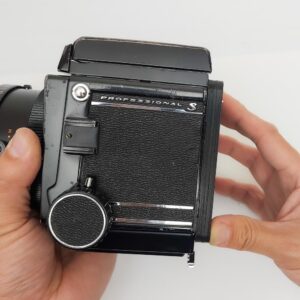 When connecting the adapter to the camera body, if there is a gap between the body and the adapter, or if you cannot lock the locking lever at the bottom because the Body Mount Pins are too short, adjust the height of each Body Mount Pin by turning them slightly using a 2mm Hex Key.
Turn the screws 45 degrees at a time and check the fit of the mount.
 Important:
If the Support Hooks (2 screws) at the bottom are too loose and the bottom of the digital back wobbles, or the space under the Support Hooks is too tight for the clasp of the digital back to fit underneath, adjust the height of the bottom Support Hooks by turning them slightly using a 2mm Hex Key. Turn the screws 45 degrees at a time and check the fit of the mount.
Mounting Adapter and Camera Body (Adjusting the Body Mount Pins)
When connecting the adapter to the camera body, if there is a gap between the body and the adapter, or if you cannot lock the locking lever at the bottom because the Body Mount Pins are too short, adjust the height of each Body Mount Pin by turning them slightly using a 2mm Hex Key.
Turn the screws 45 degrees at a time and check the fit of the mount.
- To tighten the Body Mount Pins to shorten the gap: Turn the screws clockwise.
- To loosen the Body Mount Pins to fix the lever issue: Turn the screws counterclockwise.
Important:
- After adjusting the Body Mount Pins, your camera may need focus calibration by adjusting the focus screen on top.
- Do not perform this adjustment unless you experience a mounting issue, as it can affect proper focusing. Also, avoid turning the screws more than a full rotation (360 degrees).
Still have a question? Contact us with your camera, digital back and sync cable.